Walk into a Kenyan office with twenty staff and ask how the phones work. The answer often involves shared mobile numbers, missed client calls, and a receptionist juggling three handsets. Three months later, a customer tries to reach the sales team, fails, and goes elsewhere. That single missed call story repeats across Nairobi every working day. The fix is rarely about adding more lines. The real fix is matching the right desk phone to the way each role actually works, and in Kenya that conversation almost always starts with Yealink IP phones.
Yealink IP phones cover most of the Kenyan market with good reason. The brand sells across receptionist consoles, executive desks, and shared call center stations. Picking the wrong one wastes money. Picking the right one pays back through cleaner call handling and fewer dropped calls.
Start with what each desk actually does.
Roles inside an office do not all use the phone the same way. A finance officer might take six calls a day. A sales agent runs twenty calls before lunch. A receptionist transfers calls every few minutes between departments. One handset model cannot cover all three jobs without compromise.
Spend ten minutes mapping each desk before buying anything. Note who answers calls, who places them, who transfers them, and who joins conference bridges. The list looks rough at first. The buying decision becomes much clearer once it is on paper.
A small office of five staff might still need three different Yealink models. That sounds wasteful. It usually saves money compared to fitting everyone with the same mid-range unit and watching half the features go unused.
Entry phones for low call volume desks
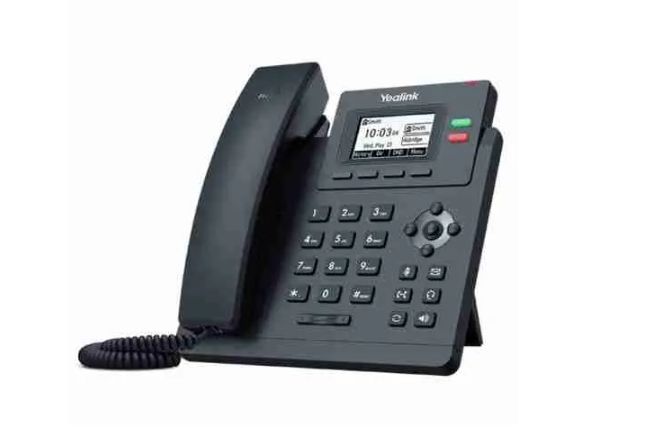
Roles that take a few calls a day rarely need color screens or programmable buttons. The Yealink T31P fits this group well. It runs SIP, supports two lines, and powers through Power over Ethernet. Pricing in Kenya sits around KSh 7,500 to KSh 9,500 per unit.
Finance, HR, and admin desks fall here often. The phone handles basic calls, transfers, and holds. Nothing more, nothing less. Audio quality on the T31P stays clear for normal voice conversations, which is what these roles actually need.
The T33G adds gigabit Ethernet at a slightly higher price point, around KSh 11,000 to KSh 13,000. Pick the gigabit version if the desk also runs a connected computer through the same network drop. Daisy chaining saves a switch port on each desk.
Mid-range phones for active users
Sales, support, and project teams constantly place and receive calls. They need quick access to colleagues, departments, and client lines. The Yealink T43U or T44U sits well here. Prices range from KSh 18,000 to KSh 24,000 depending on stock.
Both phones offer programmable line keys, dual USB ports, and support for headset use. A sales agent running back-to-back calls benefits from one-touch dial keys for top accounts. The headset support lets the same agent walk away from the desk and still take a call.
The color screen on the T44U helps when the directory grows past fifty contacts. Scrolling through a black-and-white list slows people down. A color interface with proper contact photos cuts search time noticeably during busy periods.
Executive and reception desks
Executive desks rarely need many keys. The phones do need to look the part and handle conference calls without fumbling. The T46U and T48U models cover both points. The T48U adds a touchscreen, which some directors find useful and others ignore entirely.
Receptionists are the opposite. They need many keys, all visible at once, with clear status lights showing who is on a call. The T46U paired with an EXP43 expansion module solves this neatly. Forty extra programmable keys sit beside the main phone, each tied to a staff extension.
A receptionist without a busy lamp field has no way of knowing which manager is free. Calls get transferred blindly. The transferred call interrupts a meeting. The manager pushes back. The receptionist gets blamed. Adding the expansion module ends that loop.
What buyers regret later
A few patterns keep coming back. Buying a single model for the whole office and leaving half the features unused. Skipping the expansion module on the reception desk and watching call transfers fail. Ignoring conference phones and using a borrowed mobile on speaker.
Power over Ethernet also catches buyers off guard. If your network switch does not support PoE, every phone needs a separate power adapter. Adding twenty wall warts to a clean office turns the install into a mess. A PoE switch upfront costs less than retrofitting later.
Almiria Techstore stocks current Yealink models with full warranty cover, sealed boxes, and serial numbers logged at the point of sale. Before paying, ask the seller for compatibility details against your existing PBX or VoIP provider. The right phone matched to the right desk pays back every working day.
